Turn Your Android Phone
Into a Wireless
Mouse & Keyboard.
Use your Android phone as a Bluetooth HID mouse, trackpad and keyboard — without installing a receiver app on your computer.
One phone.
A complete input device.
WindPad registers directly with your target operating system using the standard Bluetooth Human Interface Device (HID) protocol.
Not another remote app.
WindPad uses Bluetooth HID, so compatible devices recognize your phone as a standard mouse and keyboard.
Wi-Fi & Companion App Required
- Requires background server app installed on PC
- Both devices must be on the same local Wi-Fi
- High latency, firewall blocks, network lag
- Bloated with ads, subscriptions, and telemetry
Hardware Bluetooth HID
- Zero PC software — recognized as a physical mouse
- No Wi-Fi needed — works 100% offline anywhere
- Ultra-low latency direct radio frequency link
- 100% Free & Open Source with zero tracking
Product Interface
Explore WindPad's visual layout, dedicated modifier keys, and real-time settings.
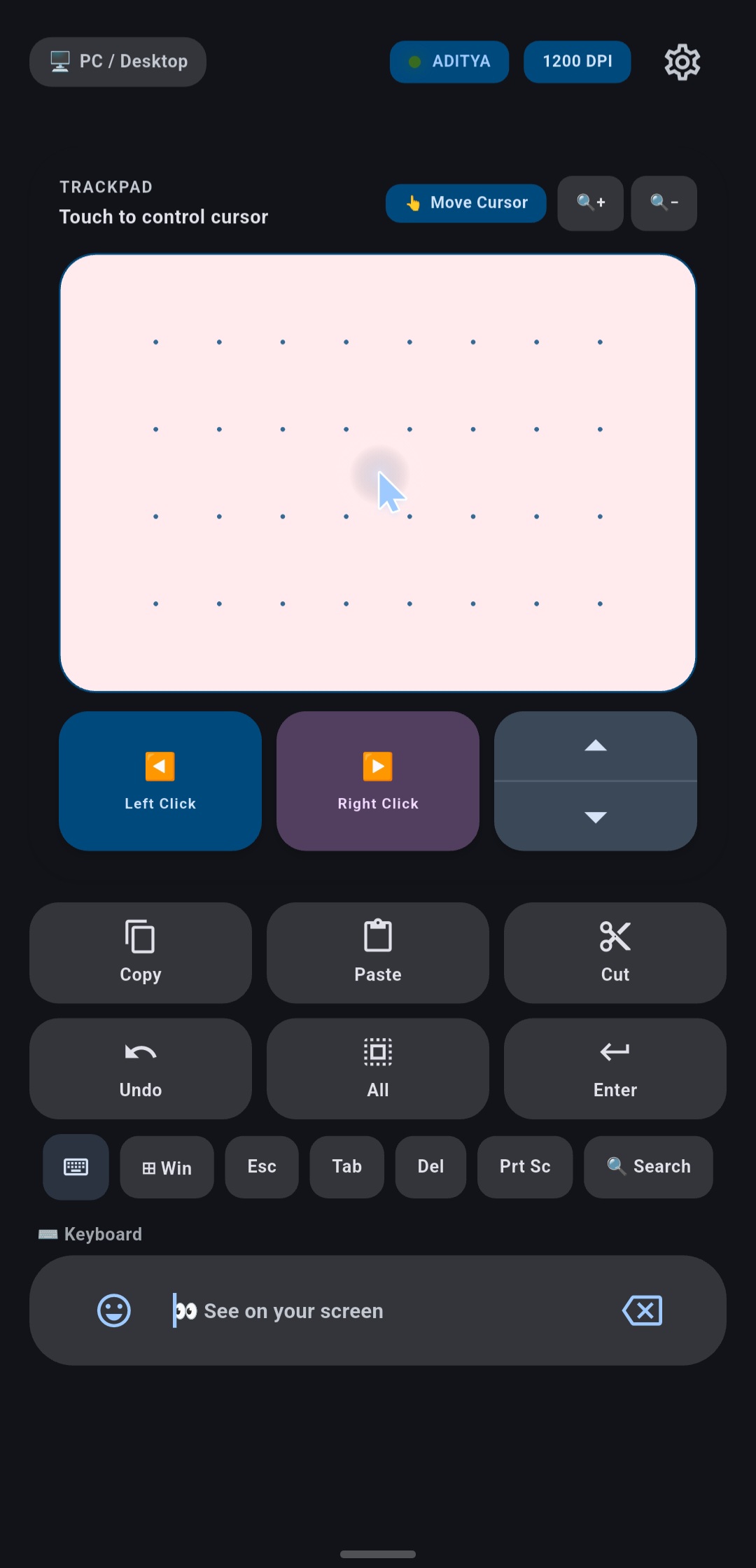
Precision Dot Matrix
Tactile trackpad surface with software acceleration and customizable sensitivity.
- • Sub-pixel pointer movement
- • Dedicated Left & Right clicks
- • Quick Action modifier buttons
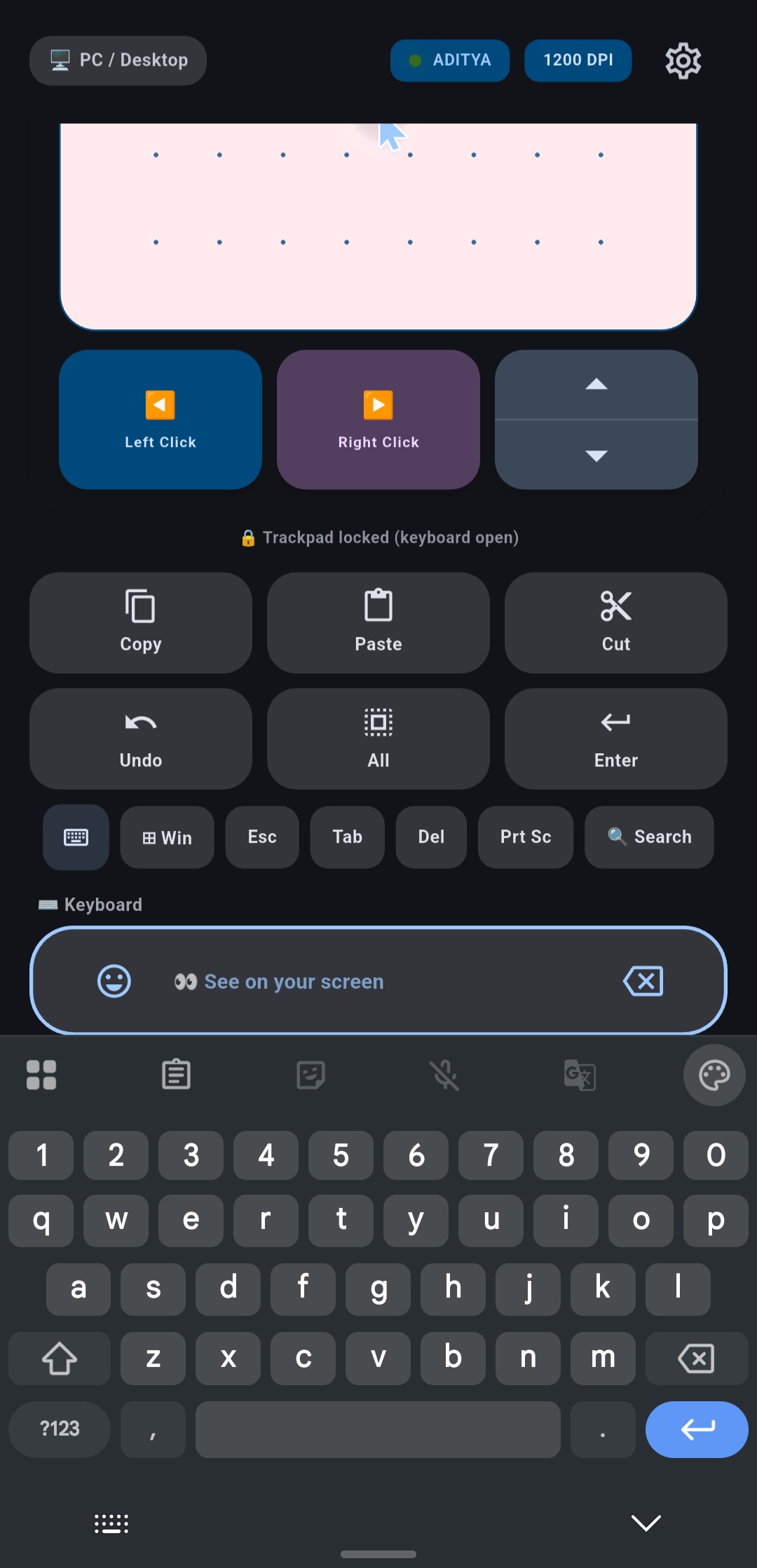
Full Input Emulation
Send instant keystrokes, shortcuts, and clipboard contents directly to your computer.
- • Win, Esc, Tab, Del keys
- • Direct clipboard injection
- • Integrated emoji & voice input
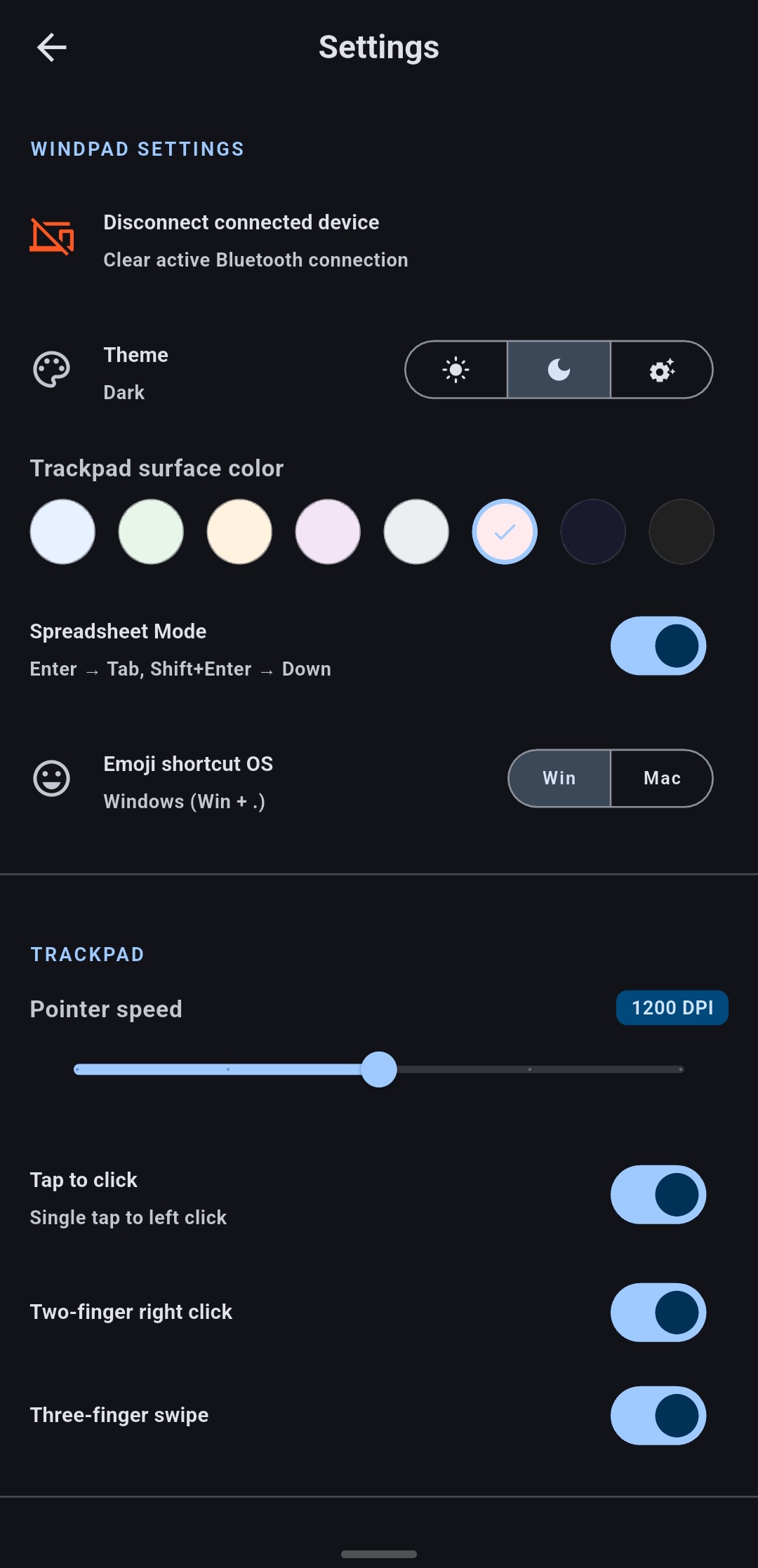
Granular Controls
Fine-tune pointer speed, scroll directions, and haptic feedback intensity.
- • Adjustable DPI scaling
- • Natural / Inverted scrolling
- • Vibration & click feedback
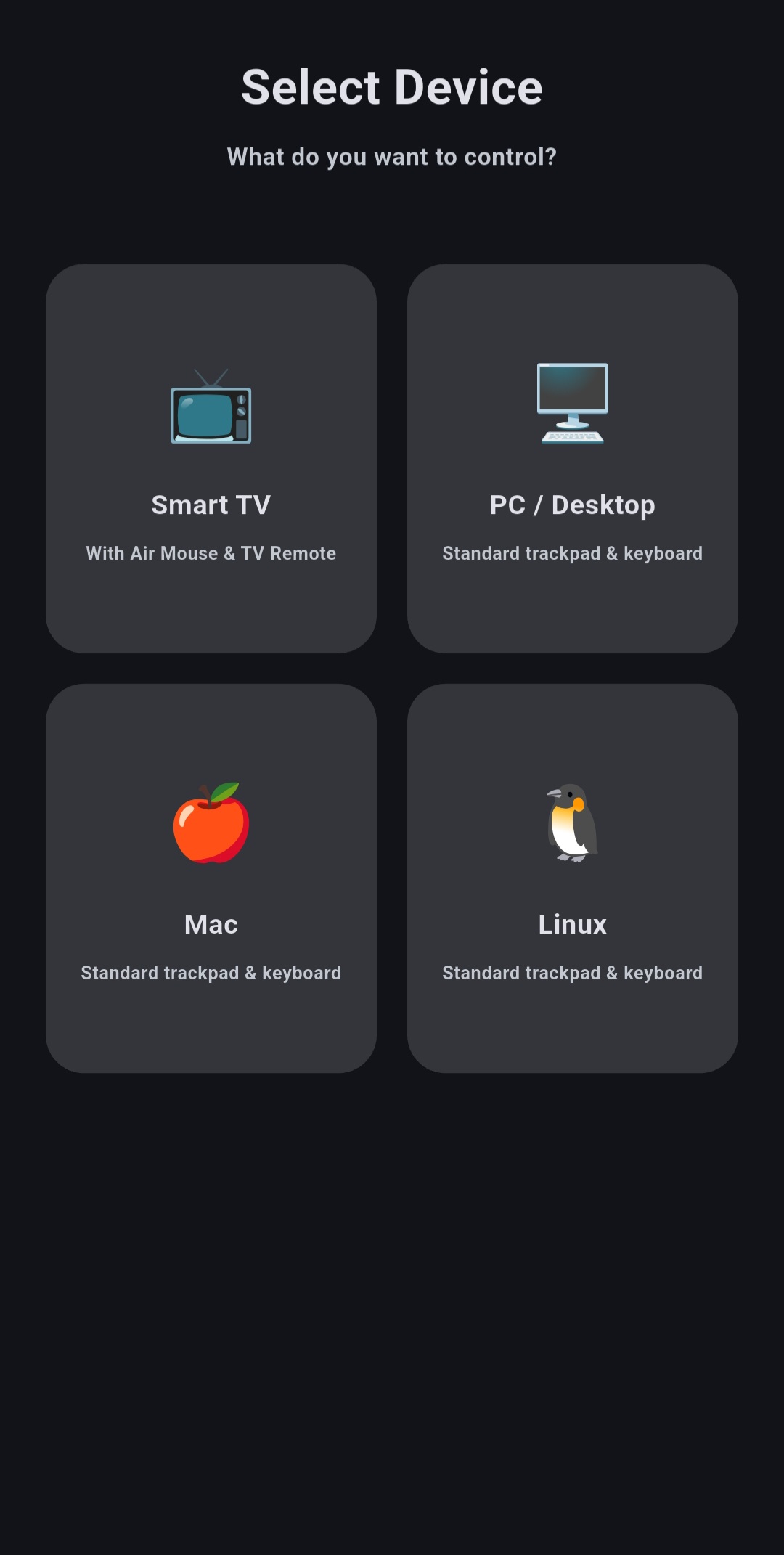
Device Manager
Seamlessly pair and switch between multiple saved computers and smart displays.
- • Quick Bluetooth device switch
- • Connection status monitor
- • Zero background discovery lag
Built for daily workflow.
Every feature is designed from the ground up for responsiveness, tactile ergonomics, and hardware-level Bluetooth reliability.

Precision Trackpad
Smooth cursor movement calibrated with custom software acceleration curves. Delivers zero-lag sub-pixel responsiveness matching high-end laptop glass trackpads.

Multi-Touch Gestures
Natural 2-finger smooth scrolling, pinch-to-zoom scaling, and 3-finger workspace switching.

Quick Action Keys
One-tap dedicated keys for common OS macros: Copy, Paste, Cut, Undo, and Select All.

Smart Clipboard
Inject copied phone text, passwords, or URLs directly into your PC's active cursor position.

Material Theming
Complies with Material Design 3 guidelines, with dynamic AMOLED dark & light color palettes.
Universal Compatibility
Standard Bluetooth HID driver profile operates natively across Windows, macOS, Linux, and Smart TVs without installing any companion server app on your computer.
 Windows 10/11
 macOS Ventura+
 Linux X11/Wayland
 Android & Fire TV
Natural multi-touch gestures.
Every gesture you know from physical trackpads, mapped directly to Bluetooth HID packets.
1 Finger Move
Smooth cursor movement & tap to left click
2 Fingers Scroll
Natural vertical and horizontal scrolling
Pinch to Zoom
Precision zooming on documents, photos & web
3 Fingers Swipe
Switch virtual desktops or open task view
Works where you need it.
No matter what computer or Smart TV you use, WindPad connects instantly over native Bluetooth.
Windows
Windows 10, 11 & oldermacOS
macOS Sonoma, Ventura & olderLinux
Ubuntu, Fedora, Arch & all distrosSmart TVs
Android TV, Google TV, Fire TV
Smart Projectors
Home Theater, Office & ClassroomsDesigned for every situation.
Movie Night
Control your laptop connected to the projector or navigate Smart TV streaming apps from the comfort of your couch without leaving your seat.
Presentations
Walk around the stage freely during lectures or pitch meetings while advancing slides and pointing with your smartphone screen.
Broken Trackpad
Immediate hardware backup when your laptop trackpad or physical wireless mouse runs out of battery while working on the go.
Remote Desk Control
Control background music, audio volume, video pauses, and system sleep from across your desk without reaching for your peripheral devices.
Setup in seconds.
No messy cables, no IP addresses to type, and no receiver apps needed on your target device.
Install WindPad
Download and install the WindPad APK on your Android device.
Pair via Bluetooth
Enable Bluetooth on your computer/TV and select your phone from standard system settings.
Start Controlling
Open WindPad and immediately control your cursor and keyboard natively!
Your device.
Your data.
We believe input devices must be completely private. WindPad does not collect, transmit, or monetize any user data.
100% Offline
WindPad requires zero internet permissions. Input is sent purely over local Bluetooth hardware.
Zero Telemetry
No analytics SDKs, no crash trackers, no third-party libraries recording keystrokes or usage.
Fully Auditable
Every single line of code is open-source on GitHub for community inspection and compilation.
Frequently asked questions.
No! WindPad emulates a physical Bluetooth HID mouse and keyboard. Your computer recognizes it natively as hardware without any companion app.
No. WindPad operates completely over Bluetooth. You don't need a Wi-Fi connection, router, or local network setup.
Yes, 100% offline. Once installed, WindPad communicates directly between devices via Bluetooth without any internet access.
WindPad works on Windows, macOS, Linux, and compatible Smart TVs (Android TV, Google TV, Fire TV) that support standard Bluetooth HID input peripherals.
Yes. WindPad is completely free with no subscriptions, in-app purchases, or locked features.
Yes, the full source code for both the Android application and the website is available on GitHub under the MIT License.
No. WindPad operates 100% driverless using native Bluetooth HID. Your computer or Smart TV recognizes your phone as a standard physical hardware mouse and keyboard without installing any desktop software.
HID (Human Interface Device) is a universal hardware standard. Android 9+ includes support for creating Bluetooth HID peripheral devices that computers treat identically to physical hardware mice.
Unpair the device on both your phone and PC, turn Bluetooth off and on, and then initiate pairing again from your PC's Bluetooth settings menu.
Need help or want to talk to us?
We are always open to feedback, feature requests, and bug reports.
Your phone is more capable
than you think.
Turn it into a trackpad, mouse and keyboard with WindPad.